
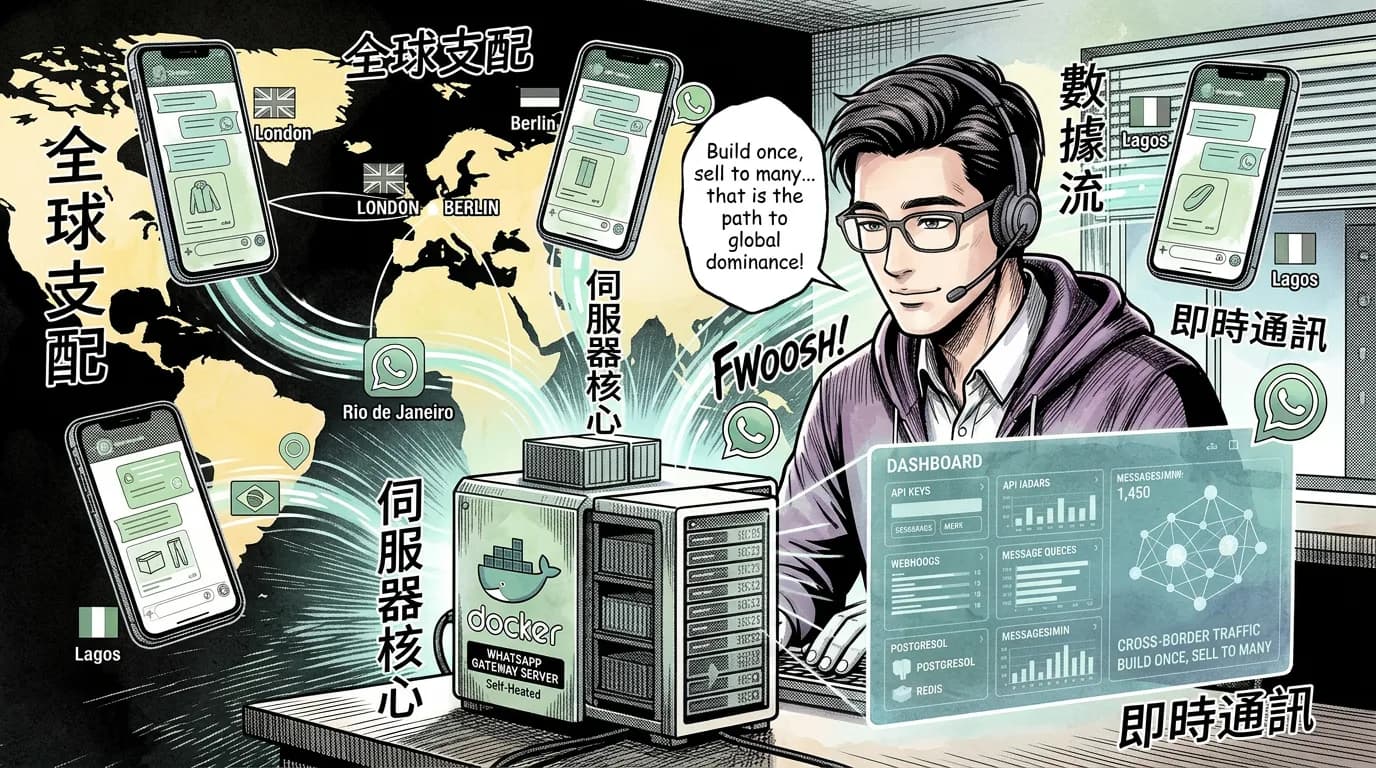
You can self-host an unofficial WhatsApp gateway for $20–50/month on a VPS — no per-message Meta fees, no business verification, no template approval delays. Evolution API and MultiWA give you multi-session WhatsApp with Docker Compose, REST endpoints, and per-client API keys. For cross-border eCommerce agencies managing 5–50 client stores, you build one gateway and sell it to all of them.
Why This Matters Now
WhatsApp has 2 billion users. In most of Asia, Latin America, and Africa, it's not just a chat app — it's the primary sales channel. Cross-border eCommerce clients need order confirmations in Portuguese, delivery updates in Hindi, and cart recovery messages in Arabic. They need it all from one backend.
Meta's official WhatsApp Business Platform now charges per delivered message, with pricing varying by market and message category; service messages are free, and some utility replies are also free. For an agency with 20 clients sending high volumes of utility and marketing messages, Meta fees can still add up quickly before any BSP markup.
Self-hosting cuts the variable cost to zero. Your only expense is the VPS.
This isn't theoretical. Evolution API (7,500+ GitHub stars as of 2026) has been running in production for eCommerce shops, CRM integrations, and chatbot platforms since 2023. MultiWA adds a visual automation builder and AI auto-replies on top. Both run in Docker. Both support multiple WhatsApp sessions from a single server.
What You're Actually Building
You're not building WhatsApp. You're building a gateway that sits between your eCommerce backend and WhatsApp Web sessions.
Copy-paste the following FlowZap Code snippet into a project in your FlowZap account to visualize the diagram.
clients { # eCommerce Clients
  n1: rectangle label:"Client A Backend"
  n1.handle(right) -> gateway.n2.handle(left) [label="API Key A"]
  n5: rectangle label:"Client B Backend"
  n5.handle(right) -> gateway.n2.handle(left) [label="API Key B"]
}

gateway { # WhatsApp Gateway Docker Host
  n2: rectangle label:"Nginx Reverse Proxy"
  n3: rectangle label:"Evolution API :8080"
  n4: rectangle label:"PostgreSQL"
  n6: rectangle label:"Redis Queue"
  n2.handle(right) -> n3.handle(left)
  n3.handle(bottom) -> n4.handle(top)
  n3.handle(bottom) -> n6.handle(top)
  n3.handle(right) -> wa.n7.handle(left) [label="Route to US session"]
  n3.handle(right) -> wa.n8.handle(left) [label="Route to EU session"]
  n3.handle(right) -> wa.n9.handle(left) [label="Route to CN session"]
  n2.handle(left) -> clients.n1.handle(right) [label="Response"]
  n2.handle(left) -> clients.n5.handle(right) [label="Response"]
}

wa { # WhatsApp Sessions
  n7: rectangle label:"Session +1 (US)"
  n8: rectangle label:"Session +33 (EU)"
  n9: rectangle label:"Session +86 (CN)"
  n7.handle(left) -> gateway.n3.handle(right) [label="Webhook"]
  n8.handle(left) -> gateway.n3.handle(right) [label="Webhook"]
  n9.handle(left) -> gateway.n3.handle(right) [label="Webhook"]
}
Each client gets an API key scoped to their WhatsApp session. Your eCommerce backend fires a POST request with the order confirmation. The gateway routes it to the right WhatsApp number. Customer replies come back as webhooks. No Meta Business Manager or business verification required. No per-message invoice.
The Tools: Comparison Table
| Feature | Evolution API | MultiWA | Official Cloud API |
|---|---|---|---|
| Cost | Free (VPS only) | Free (VPS only) | Per delivered message; varies by market and category |
| Business verification | Not required | Not required | Mandatory |
| Template approval | Not needed | Not needed | Required for outbound |
| Multi-session | Yes (unlimited instances) | Yes (unlimited profiles) | Per-WABA limit |
| API format | REST (Express.js) | REST (NestJS/Fastify) | REST (Graph API) |
| Automation builder | Via n8n/Typebot integration | Built-in drag-and-drop | Via Meta Business Suite |
| AI auto-replies | Via OpenAI/Dify integration | Built-in RAG knowledge base | Via BSP add-ons |
| Database | PostgreSQL / MySQL | PostgreSQL | Meta-managed |
| Message queue | RabbitMQ, SQS, NATS | Redis + BullMQ | None exposed |
| Ban risk | Yes (unofficial protocol) | Yes (unofficial protocol) | No (official) |
| Green tick badge | No | No | Yes (after verification) |
| Docker deploy | docker compose up -d | docker compose up -d | N/A (SaaS) |
| GitHub stars | 7,500+ | 200+ | N/A |
| License | Apache 2.0 | MIT | Proprietary |
Deployment: Docker Compose in 5 Minutes
This is the Evolution API path — the most battle-tested option.
Prerequisites
- VPS with 2 GB RAM (Hetzner CX22 at $4.65/month, Contabo 4 GB at $7/month)
- Docker and Docker Compose installed
- A domain with DNS pointing to your VPS (for webhook callbacks)
Step 1: Clone and Configure
git clone https://github.com/evolution-foundation/evolution-api
cd evolution-api
cp .env.example .env
Edit .env with your values:
# Required
AUTHENTICATION_API_KEY=your-32-char-random-hex-key
# Database (PostgreSQL recommended for production)
DATABASE_ENABLED=true
DATABASE_PROVIDER=postgresql
DATABASE_CONNECTION_URI=postgresql://user:***@postgres:5432/evolution

# Redis (for queuing)
REDIS_ENABLED=true
REDIS_URI=redis://redis:6379

# Webhook (where your eCommerce backend listens)
WEBHOOK_BASE_URL=https://your-ecommerce-backend.com/webhooks
Step 2: Launch
docker compose up -d
Three containers start: evolution-api (port 8080), postgres, and redis.
Step 3: Create a WhatsApp Session
curl -X POST http://localhost:8080/instance/create \
  -H "apikey: your-32-char-random-key" \
  -H "Content-Type: application/json" \
  -d '{
    "instanceName": "client-us-store",
    "token": "client-specific-token",
    "webhook": "https://client-a.com/whatsapp-webhook",
    "webhookByEvents": true
  }'
Response includes a QR code. Scan it with WhatsApp on a phone registered to the client's business number. Session established.
Step 4: Send a Message
Copy-paste the following FlowZap Code snippet into a project in your FlowZap account to visualize the diagram.
clients { # eCommerce Client
  n1: rectangle label:"Client Backend"
  n1.handle(right) -> gateway.n2.handle(left) [label="POST /sendText"]
}

gateway { # WhatsApp Gateway
  n2: rectangle label:"Nginx + Auth"
  n3: rectangle label:"Evolution API"
  n4: rectangle label:"PostgreSQL"
  n2.handle(right) -> gateway.n3.handle(left)
  n3.handle(bottom) -> gateway.n4.handle(top)
  n2.handle(left) -> clients.n1.handle(right) [label="200 OK"]
  n3.handle(right) -> wa.n5.handle(left) [label="Send msg"]
}

wa { # WhatsApp
  n5: rectangle label:"WhatsApp Web"
  n6: circle label:"Customer Phone"
  n5.handle(right) -> wa.n6.handle(left)
  n6.handle(left) -> wa.n5.handle(right)
  n5.handle(left) -> gateway.n3.handle(right) [label="Webhook reply"]
}
curl -X POST http://localhost:8080/message/sendText/client-us-store \
  -H "apikey: your-32-char-random-key" \
  -H "Content-Type: application/json" \
  -d '{
    "number": "5511999999999",
    "text": "Your order #4872 has shipped. Track: https://track.client-a.com/4872"
  }'
Your client's customer in Brazil receives a WhatsApp message from the store's business number. No Meta fees. No template approval. The only cost is the VPS.
Tip: Set WEBHOOK_BASE_URL in .env to your eCommerce backend. Evolution API fires MESSAGES_UPSERT events on every incoming message. Your backend gets customer replies as JSON POST requests.
Multi-Tenant Architecture for Cross-Border Agencies
This is where self-hosting beats the official API. With Meta, each client needs their own Business Manager account, phone number verification, and template approval — a 2–4 week bureaucratic loop per client.
With your self-hosted gateway:
Copy-paste the following FlowZap Code snippet into a project in your FlowZap account to visualize the diagram.
clients { # Client Stores
  n1: rectangle label:"US Store (Shopify)"
  n2: rectangle label:"BR Store (WooCommerce)"
  n1.handle(right) -> gateway.n3.handle(left) [label="key_us"]
  n2.handle(right) -> gateway.n3.handle(left) [label="key_br"]
}

gateway { # Gateway VPS
  n3: rectangle label:"Nginx + Let's Encrypt"
  n4: rectangle label:"Evolution API"
  n5: rectangle label:"PostgreSQL"
  n6: rectangle label:"Redis"
  n3.handle(right) -> n4.handle(left)
  n4.handle(bottom) -> n5.handle(top)
  n4.handle(bottom) -> n6.handle(top)
  n4.handle(right) -> wa.n7.handle(left) [label="Route to US session"]
  n4.handle(right) -> wa.n8.handle(left) [label="Route to BR session"]
  n4.handle(right) -> wa.n9.handle(left) [label="Route to IN session"]
  n3.handle(left) -> clients.n1.handle(right) [label="Response"]
  n3.handle(left) -> clients.n2.handle(right) [label="Response"]
}

wa { # WhatsApp Sessions per Country
  n7: rectangle label:"+1 US Session"
  n8: rectangle label:"+55 BR Session"
  n9: rectangle label:"+91 IN Session"
  n7.handle(left) -> gateway.n4.handle(right) [label="Webhook"]
  n8.handle(left) -> gateway.n4.handle(right) [label="Webhook"]
  n9.handle(left) -> gateway.n4.handle(right) [label="Webhook"]
}
Client setup time: 5 minutes. Generate an API key, create an instance, scan a QR code. That's it.
What each client sees: A REST endpoint at https://wa-gateway.yourdomain.com. They POST {"number": "...", "text": "..."} with their API key. They get webhooks for incoming messages. They never touch WhatsApp configuration.
What you sell: "$49/month per store — unlimited WhatsApp messages." At 10 clients, you're collecting $490/month on a $4.65 VPS.
Tip: Use per-instance webhooks. Evolution API supports webhook and webhookByEvents per instance. Client A's replies go to https://client-a.com/webhooks, Client B's to https://client-b.com/webhooks. Full client isolation.
What Works vs. What Breaks
| ✅ Works | Why |
|---|---|
| Order confirmations & shipping updates | High-volume, templated, one-direction — perfect for self-hosting |
| Cart recovery DMs | Send a message 2 hours after abandonment. No template needed |
| Delivery photo confirmations | Evolution API supports image, document, audio, location, and contact sending |
| Multi-language per client | Each client's instance sends in their customers' language |
| Client isolation via API keys | Each instance has its own token. Client A can't see Client B's messages |
| CI/CD alerting | POST to your gateway from GitHub Actions, Uptime Kuma, Grafana |
| ❌ Breaks | Why |
|---|---|
| High-value customer support | Unofficial protocol — sessions can disconnect. Not suitable for SLA-bound conversations |
| Mass marketing blasts | WhatsApp anti-spam detects bulk sending patterns. Numbers get banned |
| Financial transactions | No Meta compliance. Banks and payment processors reject unofficial WhatsApp integrations |
| 100% uptime guarantee | Baileys library occasionally breaks when WhatsApp updates their web protocol. Hours of downtime possible |
| Green tick verified brand | Only official Cloud API gives the verified business badge. Self-hosted shows as regular WhatsApp user |
| WhatsApp policy compliance | Violates Meta ToS. If caught, phone numbers get banned. Agencies must weigh risk vs. cost savings |
Hard truth: Self-hosting WhatsApp is against Meta's terms. Evolution API and MultiWA exploit the WhatsApp Web protocol. Meta can — and occasionally does — ban numbers. For order confirmations and shipping updates (transactional, low-complaint), bans are rare. For marketing blasts and cold outreach, bans are guaranteed.
The Decision Table: Which Path for Which Client
| Client Profile | Use Self-Hosted | Use Official API |
|---|---|---|
| D2C brand doing 500 orders/day, needs confirmations | ✅ Yes | Overkill |
| Cross-border agency with 20 small stores | ✅ Yes | $5K+/month in Meta fees |
| Enterprise with SLA, compliance, audit requirements | ❌ No | Mandatory |
| Startup testing WhatsApp as a support channel | ✅ Yes | Can migrate later |
| Bank, insurer, or regulated industry | ❌ No | Only option |
| Marketplace needing verified green badge | ❌ No | Required for trust |
The Self-Hosted Gateway: Step-by-Step Production Checklist
1. VPS Selection
| Provider | Specs | Price | Sessions supported |
|---|---|---|---|
| Hetzner CX22 | 2 vCPU, 4 GB RAM, 40 GB SSD | $4.65/month | 5–10 |
| Contabo VPS S | 4 vCPU, 8 GB RAM, 50 GB NVMe | $7/month | 10–25 |
| DigitalOcean Droplet | 2 vCPU, 4 GB RAM | $24/month | 5–10 |
| AWS Lightsail | 2 vCPU, 4 GB RAM | $20/month | 5–10 |
Each WhatsApp session (Baileys-based) uses ~150–250 MB RAM. A 4 GB server handles 10–15 concurrent sessions comfortably.
2. Domain and SSL
# Point DNS A record to your VPS IP
# Then:
apt install nginx certbot python3-certbot-nginx -y
certbot --nginx -d wa-gateway.yourdomain.com
3. Nginx Reverse Proxy
server {
    listen 443 ssl;
    server_name wa-gateway.yourdomain.com;

    location / {
        proxy_pass http://127.0.0.1:8080;
        proxy_set_header Host $host;
        proxy_set_header X-Real-IP $remote_addr;
    }
}
4. Database Backups
# Cron job: daily PostgreSQL dump to S3-compatible storage
0 3 * * * pg_dump evolution | gzip > /backups/evolution-$(date +%Y%m%d).sql.gz
5. Monitoring
# Evolution API exposes /manager/status endpoint
curl -s http://localhost:8080/manager/status | jq '.instances[] | {name, status}'
Wire this into Uptime Kuma or Grafana for per-instance health checks.
6. Per-Client Onboarding Script
#!/bin/bash # onboard-client.shINSTANCE_NAME=$1 COUNTRY=$2 WEBHOOK_URL=$3 # Create instance curl -s -X POST http://localhost:8080/instance/create \ -H "apikey: $EVOLUTION_API_KEY" \ -H "Content-Type: application/json" \ -d "{ \"instanceName\": \"$INSTANCE_NAME\", \"token\": \"$(openssl rand -hex 16)\", \"webhook\": \"$WEBHOOK_URL\", \"webhookByEvents\": true }" | jq '.' # Output: QR code to scan + API token for client
Run this per client. Total onboarding time: 5 minutes including QR scan.
When MultiWA Makes More Sense
Evolution API is the API-first, developer-focused option. MultiWA adds features that matter for agencies with less technical clients:
- Visual automation builder: Drag-and-drop message flows. No client needs to code "if customer says X, reply Y."
- AI auto-replies with RAG: Upload product catalogs, shipping policies, FAQ documents. MultiWA answers common questions automatically.
- Admin dashboard: Next.js web UI where you — or your clients — monitor sessions, read conversations, and configure automations.
MultiWA's docker-compose.production.yml is nearly identical to Evolution API's. Trade-off: younger project (200+ stars vs. 7,500+), less community, more moving parts (Next.js, BullMQ worker, PostgreSQL, Redis).
Rule of thumb: Evolution API for 5+ technical clients where you're building the automation in your eCommerce backend. MultiWA for 1–4 clients who want a dashboard to manage things themselves.
The Solopreneur Angle: Build Once, Sell to Many
You are one developer. You build this gateway once — Docker Compose, Nginx, Evolution API, PostgreSQL, Redis, backup scripts. One weekend of work.
Then you sell it as a managed service:
| Plan | Price | Includes |
|---|---|---|
| Starter | $49/month | 1 WhatsApp session, 5,000 messages/month, webhook integration |
| Growth | $99/month | 3 sessions, 25,000 messages/month, custom templates |
| Agency | $249/month | 10 sessions, unlimited messages, white-label dashboard, priority support |
At 10 Agency clients: $2,490 MRR on a $4.65–7/month VPS.
What you're actually selling: "Your customers in Brazil, India, and Nigeria get order updates on WhatsApp. You pay a flat fee. No Meta bureaucracy. No per-message pricing. We handle the gateway."
This is the same pattern agencies use for email (Mailgun, SendGrid) and SMS (Twilio). WhatsApp is just the next channel — and self-hosting makes it profitable at small scale.
Copy-paste the following FlowZap Code snippet into a project in your FlowZap account to visualize the diagram.
client { # Client Profile
  n1: circle label:"Need WhatsApp channel"
  n2: diamond label:"Need verified badge, compliance, or SLA?"
  n1.handle(right) -> n2.handle(left)
  n2.handle(right) -> constraints.n5.handle(left) [label="Yes"]
  n2.handle(bottom) -> operator.n3.handle(top) [label="No"]
}

operator { # FlowZap Operator
  n3: diamond label:"Expected Meta spend > $100/mo?"
  n4: diamond label:"Client wants dashboard and no-code automations?"
  n3.handle(top) -> client.n2.handle(bottom) [label="Context received"]
  n3.handle(right) -> constraints.n6.handle(left) [label="No"]
  n3.handle(bottom) -> n4.handle(top) [label="Yes"]
}

constraints { # Constraints
  n5: rectangle label:"Official path required"
  n6: rectangle label:"Official API still acceptable"
  n5.handle(left) -> options.n9.handle(top) [label="Recommend"]
  n6.handle(bottom) -> options.n9.handle(left) [label="Recommend"]
}

options { # Recommended Stack
  n7: rectangle label:"Evolution API on Docker"
  n8: rectangle label:"MultiWA on Docker"
  n9: rectangle label:"Official Meta Cloud API"
  n10: rectangle label:"API-first, developer-operated"
  n11: rectangle label:"Dashboard, RAG, automations"
  n12: circle label:"Chosen path"
  n4.handle(right) -> n8.handle(left) [label="Yes"]
  n4.handle(bottom) -> n7.handle(top) [label="No"]
  n7.handle(right) -> n10.handle(left)
  n8.handle(right) -> n11.handle(left)
  n9.handle(bottom) -> n12.handle(top) [label="Compliance path"]
  n10.handle(bottom) -> n12.handle(left) [label="Lean self-hosted path"]
  n11.handle(bottom) -> n12.handle(right) [label="Managed self-serve path"]
}
The rule: If the client's monthly WhatsApp cost through Meta would exceed $100, self-hosting saves them money. If they need green badge verification, compliance, or guaranteed uptime, send them to the official API. For everything else — order confirmations, shipping updates, cart recovery — your self-hosted gateway is the right tool.
The Bottom Line
- Evolution API in Docker gives you a production WhatsApp gateway in 5 minutes. REST API, multi-session, PostgreSQL-backed, webhook-ready. Zero per-message cost.
- Self-hosting saves $500–$8,000/month for agencies with 10+ clients sending transactional WhatsApp messages across borders.
- Client isolation via API keys means one gateway serving 20 stores — each with their own WhatsApp number, webhook endpoint, and message queue.
- The risk is real: unofficial WhatsApp protocol. Numbers can get banned. Don't use this for cold outreach, mass marketing, or regulated industries. Use it for order updates and shipping notifications — low-complaint, high-value.
Build the gateway once. Sell it to every cross-border eCommerce client in your portfolio.
Inspirations
- Evolution API GitHub — 7,500+ stars, Apache 2.0
- Evolution API Documentation
- Evolution API Docker Image
- Evolution API vs Official WhatsApp API Comparison
- MultiWA GitHub — MIT license, visual automation
- MultiWA Architecture Deep-Dive
- Baileys Library (WhatsApp Web protocol)
- WhatsApp Cloud API Official Docs
- WhatsApp Business API Pricing
- WhatsApp Business API Setup Guide (2026)
- WhatsApp API for E-commerce (2026)
- Reddit: whatsapp-web.js vs Official API vs Baileys
- Evolution API Releases
- Senate.sh: Self-Host Evolution API Guide
- OpenWA: Free Self-Hosted WhatsApp Stack