
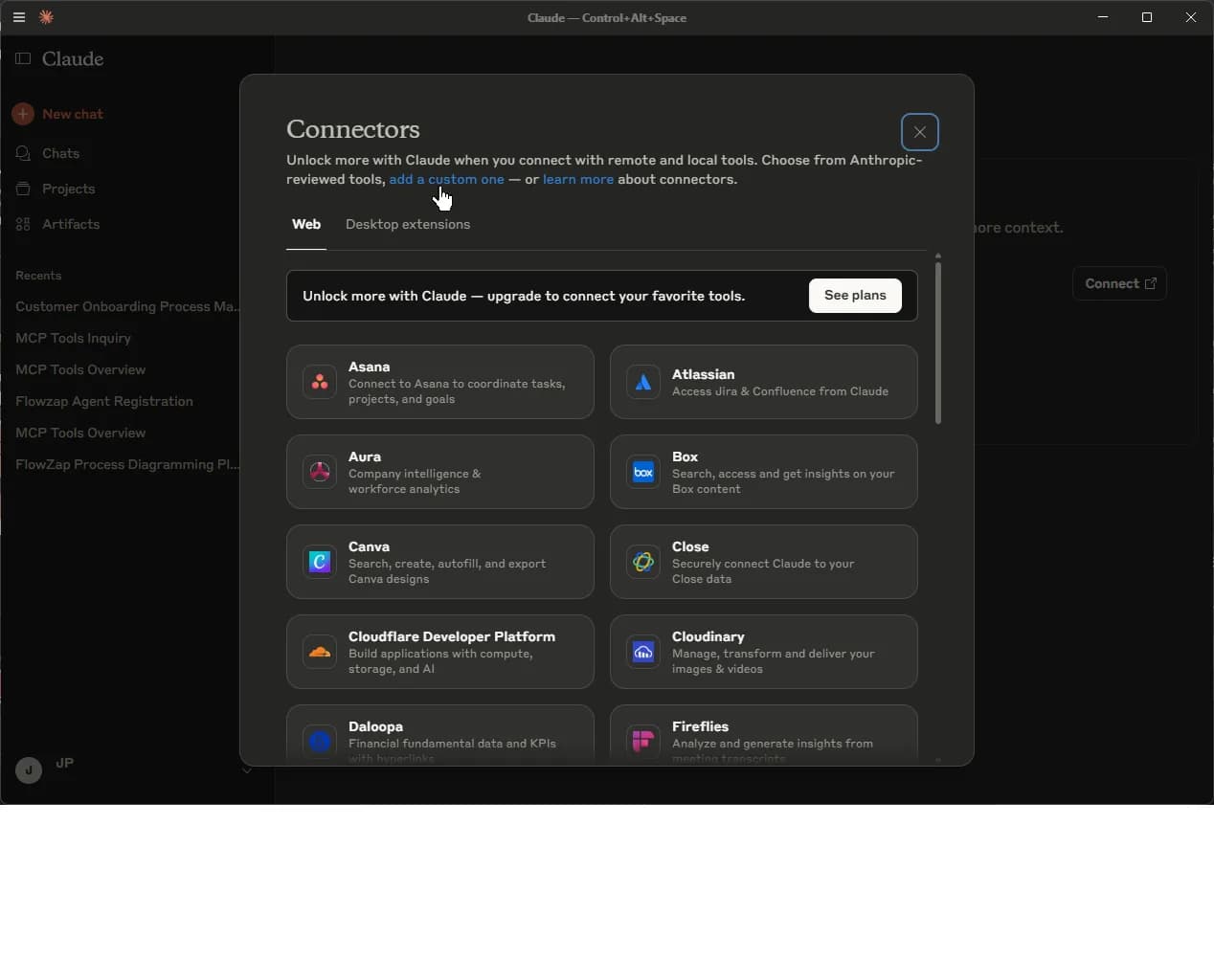
flowzap_fix tool deterministically repairs rejected FlowZap Code (renumbering, inferred handles, label syntax, lane labels, emoji) via POST /api/fix — it returns the corrected code and never invents content. FlowZap MCP is now also listed in the official MCP registry with a remote Streamable HTTP transport (https://flowzap.xyz/mcp), so hosted agents (Replit, Lovable.dev, ChatGPT connectors, Claude web) connect by URL without npx. 13 tools total. See the Mind Map announcement for the v2.0.0 details.
🚀 Quick Start (Recommended)
For Claude Desktop
Add to your claude_desktop_config.json:
{
  "mcpServers": {
    "flowzap": {
      "command": "npx",
      "args": ["-y", "flowzap-mcp"]
    }
  }
}
Config file locations:
- macOS:
~/Library/Application Support/Claude/claude_desktop_config.json - Windows:
%APPDATA%\Claude\claude_desktop_config.json
For Cursor
Add the same configuration to your Cursor MCP settings.
For Windsurf IDE
Add to your ~/.codeium/windsurf/mcp_config.json:
{
  "mcpServers": {
    "flowzap": {
      "command": "npx",
      "args": ["-y", "flowzap-mcp"]
    }
  }
}
{
  "mcpServers": {
    "flowzap": {
      "command": "C:\Program Files\nodejs\npx.cmd",
      "args": ["-y", "flowzap-mcp"]
    }
  }
}
Find your npx path with: where.exe npx
All Compatible Coding Tools
The FlowZap MCP Server works with any tool that supports the Model Context Protocol (MCP). Here is the complete list:
| Tool | How to Configure |
|---|---|
| Claude Desktop | Add to claude_desktop_config.json:macOS: ~/Library/Application Support/Claude/claude_desktop_config.jsonWindows: %APPDATA%\Claude\claude_desktop_config.json |
| Claude Code | Run: claude mcp add --transport stdio flowzap -- npx -y flowzap-mcpOr add to .mcp.json in your project root. |
| Cursor | Open Settings → Features → MCP Servers → Add Server. Use the same JSON config. |
| Windsurf IDE | Add to ~/.codeium/windsurf/mcp_config.json |
| OpenAI Codex | Add to ~/.codex/config.toml:[mcp_servers.flowzap]command = "npx"args = ["-y", "flowzap-mcp"]Or run: codex mcp add flowzap -- npx -y flowzap-mcp |
| Warp Terminal | Settings → MCP Servers → Click "+ Add" → Paste the JSON config. |
| Zed Editor | Add to settings.json:{"context_servers": {"flowzap": {"command": "npx", "args": ["-y", "flowzap-mcp"]}}} |
| Cline (VS Code) | Open Cline sidebar → MCP Servers icon → Edit cline_mcp_settings.json |
| Roo Code (VS Code) | Add to .roo/mcp.json in project or global settings. |
| Continue.dev | Create .continue/mcpServers/flowzap.yaml with:name: FlowZapmcpServers: - name: flowzap command: npx args: ["-y", "flowzap-mcp"] |
| Sourcegraph Cody | Add to VS Code settings.json via openctx.providers configuration. |
https://flowzap.xyz/mcp — no npm installation needed. Local coding tools use the npm package below.
For Comet Browser / Other AI Assistants
Comet and similar AI browsers don't support custom MCP servers directly. Instead, they can:
- Generate FlowZap Code using the syntax documentation at flowzap.xyz/flowzap-code
- Create playground URLs via the public API:
curl -X POST https://flowzap.xyz/api/playground/create -H "Content-Type: application/json" -d '{"code": "sales { n1: circle label:"Start" }"}'
Available Tools (v2.1.0)
Core Tools
| Tool | Description |
|---|---|
flowzap_validate | Validate FlowZap Code syntax |
flowzap_fix | Deterministic repair of rejected FlowZap Code (renumbering, inferred handles, label syntax, lane labels, emoji) — returns the corrected code, never invents content |
flowzap_create_playground | Create a shareable diagram URL |
flowzap_get_syntax | Get FlowZap Code syntax documentation |
Agent-Focused Tools
| Tool | Description |
|---|---|
flowzap_export_graph | Export FlowZap Code as structured JSON graph (lanes, nodes, edges) for AI reasoning |
flowzap_artifact_to_diagram | Parse HTTP logs, OpenAPI specs, or code into FlowZap diagrams (auto-creates playground URL) |
flowzap_diff | Compare two versions of FlowZap Code and get structured diff |
flowzap_apply_change | Apply structured patch operations (insert/remove/update nodes/edges) - auto-creates playground URL |
Compliance Tool
| Tool | Description |
|---|---|
flowzap_compliance_check | Run automated SOC2, GDPR, and PIPL compliance analysis on a FlowZap Code data-flow diagram. Backed by Deepseek LLM with strict rate limits (10 free reviews per rolling 30-day period per IP, 3/hour burst, global 5-min circuit breaker). Returns a shareable ephemeral result URL (60-minute TTL). |
Mind Map Tools
| Tool | Description |
|---|---|
flowzap_mindmap_validate | Validate FlowZap Code syntax and check mind-map readiness (no diamonds/taskboxes, needs root circle + branches) |
flowzap_mindmap_approve | Structured audit for Mind Map rendering (ERROR/WARNING/INFO verdict) — 100% client-side, no API call |
flowzap_mindmap_template | Generate a ready-to-extend Mind Map tree skeleton (central circle root, rectangle branches) |
flowzap_mindmap_create_playground | Create a playground session with ?view=mindmap |
Usage Examples
Ask your AI assistant:
- "Create a workflow diagram for an order processing system"
- "Make a flowchart showing user registration flow"
- "Diagram a CI/CD pipeline with build, test, and deploy stages"
- "Run a SOC2/GDPR/PIPL compliance check on my app's data flow"
- "Create a mind map for root cause analysis of a production incident"
The assistant will:
- Generate FlowZap Code based on your description
- Validate the code
- Create a playground URL you can view and share
- For compliance requests: also run an automated SOC2/GDPR/PIPL audit and return a shareable result page
FlowZap Code Example
sales {
  # Sales Team
  start: circle label:"Order Received"
  validate: rect label:"Validate Order"
  check: diamond label:"Valid?"
  start -> validate -> check
}

fulfillment {
  # Fulfillment
  process: rect label:"Process Order"
  ship: rect label:"Ship Items"
  end: circle label:"Complete"
  process -> ship -> end
}
Security
The flowzap-mcp package implements comprehensive security measures:
- No authentication required — Uses only public FlowZap APIs
- No user data access — Cannot read your diagrams or account
- Runs locally — The MCP server runs on your machine
- SSRF protected — Only connects to flowzap.xyz
- Rate limiting — 30 requests/minute client-side protection
- Input validation — 50KB max code size, sanitization
- Request timeout — 30-second timeout prevents hanging
Public API Endpoints
These endpoints are available for external integrations (no authentication required):
| Endpoint | Method | Rate Limit | Description |
|---|---|---|---|
/api/validate |
POST | 30/min | Validate FlowZap Code syntax |
/api/playground/create |
POST | 5/min, 50/day | Create ephemeral playground URL (15-min TTL) |
/api/compliance-check |
POST | 5/min, 30/day | Run SOC2/GDPR/PIPL compliance analysis on FlowZap Code. Returns frameworks + shareable result URL (60-min TTL). Backed by Deepseek LLM. |
/api/ai-generate) requires authentication and is only available to logged-in FlowZap users.
Links
- npm: https://www.npmjs.com/package/flowzap-mcp
- FlowZap: https://flowzap.xyz
- Documentation: https://flowzap.xyz/flowzap-code
- Mind Map Guide: /blog/flowzap-mind-map-agentic-architecture
- API Docs: https://flowzap.xyz/docs/agent-api
Remote MCP (Streamable HTTP)
https://flowzap.xyz/mcp (Streamable HTTP, protocolVersion 2025-06-18) is listed in the official MCP registry. Hosted agents connect directly by URL — no installation.
FlowZap MCP v2.1.0: 13 tools for workflow, sequence, architecture, and mind map diagrams — plus deterministic code repair. Build the diagrams you need, the way you want.