
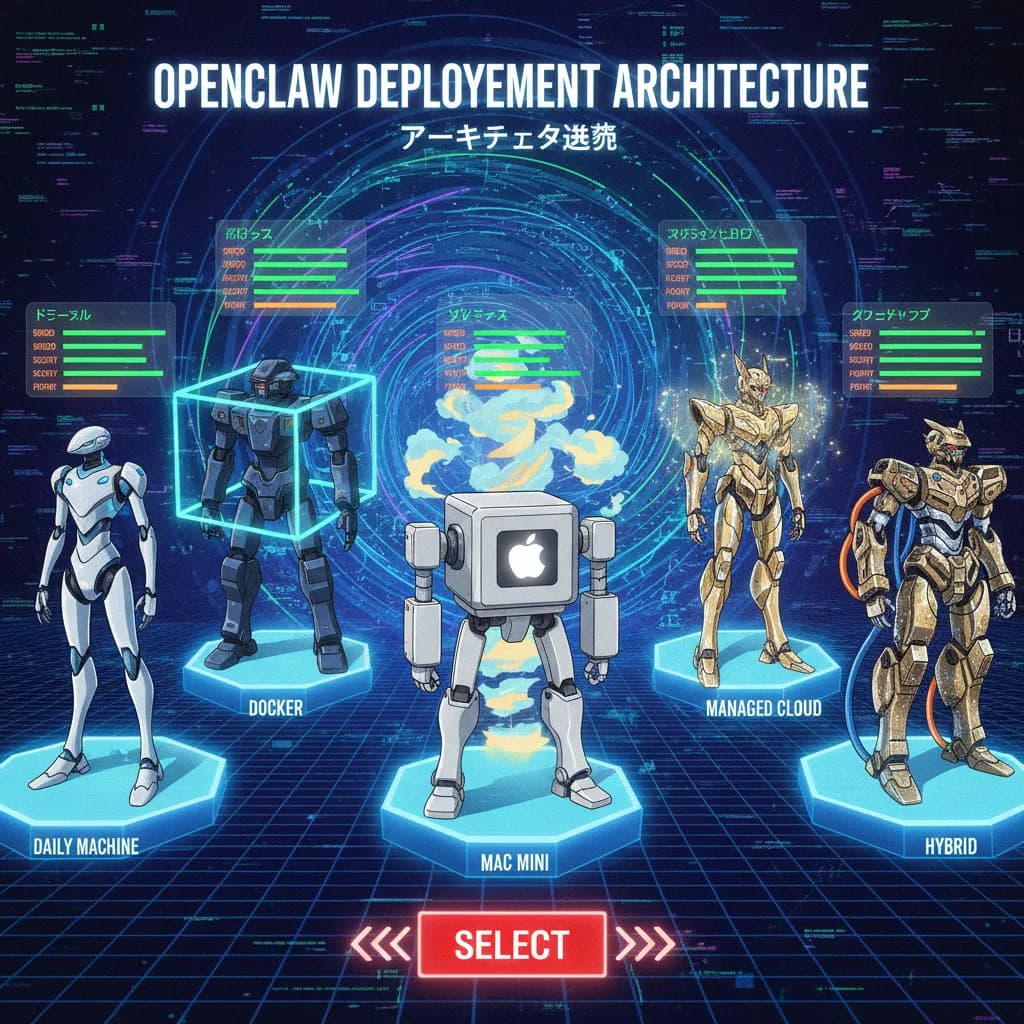
What Is OpenClaw's Architecture?
OpenClaw (formerly MoltBot, formerly ClawdBot) exploded onto the scene in late January 2026 and became one of the most talked-about open-source projects since ChatGPT. Created by Peter Steinberger, it's a self-hosted, 24/7 AI agent that actually does things on your computer — managing files, writing code, browsing the web, and automating your life through 13+ messaging platforms.
But here's the question nobody answers properly: where should you run it, and where should the LLM live?
There are at least six distinct architecture setups, and the right one depends on your priorities around speed, security, and power. This guide breaks down each model, rates them, and provides a FlowZap Code diagram you can paste into flowzap.xyz to visualize the architecture instantly.
Before diving in, you need to understand the core concept. OpenClaw uses a Gateway architecture:
- The Gateway is the brain — it owns state, workspace, memory, and agent configuration.
- You connect to the Gateway through a Control UI (web dashboard), messaging apps (Telegram, Discord, WhatsApp, Slack), or mobile apps.
- The Gateway talks to an LLM provider — either a commercial API (Anthropic, OpenAI, Google) or a local model via Ollama.
- Optional Nodes can extend the Gateway by providing local screen, camera, and system access from other devices.
Every architecture setup below is really about where these pieces live and how they connect.
Setup 1: On Your Everyday Machine (Native Install)
The simplest path. You install OpenClaw directly on the Mac or PC you use every day. The Gateway, the workspace, and your files all sit on the same OS. You interact through the local web UI or connect a messaging app.
Who it's for: Developers experimenting for the first time, solo users who want to try OpenClaw before committing to dedicated hardware.
How it works: Install Node.js/Bun, clone the repo, run the onboarding wizard, connect your LLM API key.
| Dimension | Rating | Notes |
|---|---|---|
| Speed | ★★★★★ | Zero network latency — everything is local |
| Security | ★★☆☆☆ | OpenClaw has full access to your personal files and OS |
| Power | ★★★☆☆ | Limited by your machine's availability (shuts down when you close the lid) |
FlowZap Code:
User { # User
n1: circle label="Start"
n2: rectangle label="Open Terminal"
n3: rectangle label="Send message via Web UI"
n1.handle(right) -> n2.handle(left)
n2.handle(right) -> n3.handle(left)
n3.handle(bottom) -> Machine.n4.handle(top) [label="localhost"]
}
Machine { # Your Everyday Machine
n4: rectangle label="OpenClaw Gateway"
n5: rectangle label="Workspace + Files"
n6: rectangle label="LLM API call"
n7: circle label="Task Done"
n4.handle(right) -> n5.handle(left)
n4.handle(bottom) -> LLM.n8.handle(top) [label="API Request"]
n5.handle(right) -> n7.handle(left)
}
LLM { # Commercial LLM API
n8: rectangle label="Claude / GPT / Gemini"
n9: rectangle label="Generate response"
n8.handle(right) -> n9.handle(left)
n9.handle(top) -> Machine.n4.handle(bottom) [label="Response"]
}
Setup 2: On Your Everyday Machine (Docker Isolated)
Same machine, but OpenClaw runs inside a Docker container. This is the setup Simon Willison famously chose — "I'm not brave enough to run OpenClaw directly on my Mac". Docker mounts only ~/.openclaw (config) and ~/openclaw/workspace (agent files) as volumes, keeping the rest of your system off-limits.
Who it's for: Security-conscious users who still want local convenience. Developers who already use Docker daily.
How it works: Clone the repo, run docker-setup.sh, which uses Docker Compose to build and start the Gateway in an isolated container.
| Dimension | Rating | Notes |
|---|---|---|
| Speed | ★★★★★ | Still local, minimal Docker overhead |
| Security | ★★★★☆ | Filesystem isolation, reproducible environment, no access to personal files |
| Power | ★★★☆☆ | Still bound to your machine's uptime |
FlowZap Code:
User { # User
n1: circle label="Start"
n2: rectangle label="Send message via Web UI"
n1.handle(right) -> n2.handle(left)
n2.handle(bottom) -> Docker.n3.handle(top) [label="localhost"]
}
Docker { # Docker Container
n3: rectangle label="OpenClaw Gateway"
n4: rectangle label="Mounted Workspace Volume"
n5: rectangle label="Mounted Config Volume"
n3.handle(right) -> n4.handle(left)
n3.handle(bottom) -> n5.handle(top)
n3.handle(bottom) -> LLM.n6.handle(top) [label="API Request"]
}
LLM { # Commercial LLM API
n6: rectangle label="Claude / GPT / Gemini"
n7: rectangle label="Generate response"
n6.handle(right) -> n7.handle(left)
n7.handle(top) -> Docker.n3.handle(bottom) [label="Response"]
}
Setup 3: Dedicated Local Machine (Mac Mini / Homelab)
This is the most popular setup in the OpenClaw community, and it triggered a widely reported surge in Mac Mini sales. You run OpenClaw on a separate, always-on machine — typically a Mac Mini, an old laptop, or a Proxmox homelab server.
Your daily computer stays untouched. You interact with OpenClaw through messaging apps (Telegram, WhatsApp, Discord) or by connecting the Control UI remotely over your LAN.
Who it's for: Power users, home-labbers, anyone who wants a 24/7 AI assistant without cloud costs.
How it works: Dedicated Mac Mini or LXC container on Proxmox (20GB disk, 2 cores, 4GB RAM minimum). Install OpenClaw, configure auto-start with launchd or systemd, connect messaging channels.
| Dimension | Rating | Notes |
|---|---|---|
| Speed | ★★★★☆ | LAN latency is negligible; API call to LLM is the bottleneck |
| Security | ★★★★★ | Fully isolated from your personal machine; your data never leaves your network |
| Power | ★★★★★ | Always-on, no lid-closing issues, dedicated resources |
FlowZap Code:
User { # User (Phone / Laptop)
n1: circle label="Start"
n2: rectangle label="Send Telegram message"
n1.handle(right) -> n2.handle(left)
n2.handle(bottom) -> MacMini.n3.handle(top) [label="LAN / Tailscale"]
}
MacMini { # Dedicated Mac Mini
n3: rectangle label="OpenClaw Gateway"
n4: rectangle label="Workspace"
n5: rectangle label="Agent Memory + State"
n3.handle(right) -> n4.handle(left)
n4.handle(right) -> n5.handle(left)
n3.handle(bottom) -> LLM.n6.handle(top) [label="API Request"]
}
LLM { # Commercial LLM API
n6: rectangle label="Claude Opus 4.5"
n7: rectangle label="Generate response"
n6.handle(right) -> n7.handle(left)
n7.handle(top) -> MacMini.n3.handle(bottom) [label="Response"]
}
Setup 4: VPS (Self-Managed Cloud Server)
You rent a virtual private server from DigitalOcean, Hetzner, AWS, GCP, or Oracle Cloud (free tier) and install OpenClaw yourself. The Gateway runs on the VPS 24/7. You connect from any device via SSH tunnel, Tailscale, or the web UI secured behind authentication.
This is the go-to for users who want always-on availability and access from anywhere, but don't want to leave a machine running at home.
Who it's for: Remote workers, digital nomads, technically comfortable users who want global access.
How it works: Spin up a VPS (minimum 4GB RAM, 2 vCPUs), install OpenClaw, secure with UFW firewall and SSH tunnel or Tailscale Serve. Gateway stays on loopback by default for security.
| Dimension | Rating | Notes |
|---|---|---|
| Speed | ★★★★☆ | Depends on VPS location; generally fast for API-based LLMs |
| Security | ★★★★☆ | Good isolation, but data resides on third-party infrastructure |
| Power | ★★★★★ | True 24/7, accessible globally, easy to scale |
FlowZap Code:
User { # User (Any Device)
n1: circle label="Start"
n2: rectangle label="Send command via Telegram"
n1.handle(right) -> n2.handle(left)
n2.handle(bottom) -> VPS.n3.handle(top) [label="Internet / SSH Tunnel"]
}
VPS { # VPS (DigitalOcean / Hetzner)
n3: rectangle label="OpenClaw Gateway"
n4: rectangle label="Workspace + State"
n5: rectangle label="Firewall + Auth"
n3.handle(right) -> n4.handle(left)
n3.handle(bottom) -> n5.handle(top)
n3.handle(bottom) -> LLM.n6.handle(top) [label="API Request"]
}
LLM { # Commercial LLM API
n6: rectangle label="Claude / GPT / Gemini"
n7: rectangle label="Generate response"
n6.handle(right) -> n7.handle(left)
n7.handle(top) -> VPS.n3.handle(bottom) [label="Response"]
}
Setup 5: Managed Cloud (One-Click Deploy)
For non-technical users or teams that just want it to work. Platforms like Railway, xCloud, Northflank, and Cloudflare Workers offer one-click OpenClaw deployment with zero terminal commands.
xCloud provides a fully managed experience at ~$24/month with automatic updates, pre-configured messaging integrations, and 24/7 monitoring. Railway offers a free-tier-friendly setup with a web-based wizard. Cloudflare Workers runs OpenClaw in a sandbox container for ~$34.50/month.
Who it's for: Non-technical users, small business owners, teams who value time over control.
| Dimension | Rating | Notes |
|---|---|---|
| Speed | ★★★★☆ | Platform-optimized, global edge locations available |
| Security | ★★★★☆ | Platform-managed hardening, SSL, firewall — but you trust the provider |
| Power | ★★★★☆ | Always-on, but limited customization compared to self-managed |
FlowZap Code:
User { # User
n1: circle label="Start"
n2: rectangle label="Click Deploy on Railway"
n3: rectangle label="Configure API key in wizard"
n4: rectangle label="Chat via Telegram / Discord"
n1.handle(right) -> n2.handle(left)
n2.handle(right) -> n3.handle(left)
n3.handle(right) -> n4.handle(left)
n4.handle(bottom) -> Cloud.n5.handle(top) [label="Internet"]
}
Cloud { # Managed Cloud Platform
n5: rectangle label="OpenClaw Gateway (managed)"
n6: rectangle label="Auto-updates + Monitoring"
n7: rectangle label="Pre-configured Integrations"
n5.handle(right) -> n6.handle(left)
n6.handle(right) -> n7.handle(left)
n5.handle(bottom) -> LLM.n8.handle(top) [label="API Request"]
}
LLM { # Commercial LLM API
n8: rectangle label="Claude / GPT / Gemini"
n9: rectangle label="Generate response"
n8.handle(right) -> n9.handle(left)
n9.handle(top) -> Cloud.n5.handle(bottom) [label="Response"]
}
Setup 6: Hybrid — VPS Gateway + Local Nodes
This is OpenClaw's most advanced architecture. The Gateway runs in the cloud (VPS or managed), while Nodes on your local devices provide screen access, camera, canvas, and system capabilities. Think of it as "brain in the cloud, hands on your desk."
Your phone, laptop, or desktop each run a lightweight Node that registers with the cloud Gateway. The Gateway orchestrates tasks and dispatches them to the appropriate Node.
Who it's for: Advanced users who want global availability AND local machine control.
| Dimension | Rating | Notes |
|---|---|---|
| Speed | ★★★☆☆ | Cloud-to-local roundtrips add latency for local tasks |
| Security | ★★★☆☆ | More attack surface — cloud + local endpoints both need hardening |
| Power | ★★★★★ | Best of both worlds: always-on brain + local device capabilities |
FlowZap Code:
User { # User
n1: circle label="Start"
n2: rectangle label="Send command via WhatsApp"
n1.handle(right) -> n2.handle(left)
n2.handle(bottom) -> CloudGW.n3.handle(top) [label="Internet"]
}
CloudGW { # Cloud Gateway (VPS)
n3: rectangle label="OpenClaw Gateway"
n4: rectangle label="Agent Memory + State"
n5: diamond label="Local task needed?"
n3.handle(right) -> n4.handle(left)
n4.handle(right) -> n5.handle(left)
n5.handle(bottom) -> LocalNode.n6.handle(top) [label="Yes - Dispatch"]
n5.handle(right) -> n8.handle(left) [label="No - API only"]
n3.handle(bottom) -> LLM.n9.handle(top) [label="API Request"]
}
LocalNode { # Local Node (Mac / iPhone)
n6: rectangle label="Screen + Camera + System"
n7: rectangle label="Execute local action"
n6.handle(right) -> n7.handle(left)
n7.handle(top) -> CloudGW.n3.handle(bottom) [label="Result"]
}
LLM { # LLM Provider
n8: rectangle label="Direct cloud task"
n9: rectangle label="Claude Opus 4.5"
n10: rectangle label="Generate response"
n9.handle(right) -> n10.handle(left)
n10.handle(top) -> CloudGW.n3.handle(bottom) [label="Response"]
}
Where Should the LLM Sit?
The architecture of OpenClaw itself is only half the equation. The other half is where your LLM runs. This choice dramatically affects cost, privacy, and performance.
Option A: Commercial LLM APIs (Cloud)
Use Anthropic Claude (recommended, especially Opus 4.5), OpenAI GPT-4, or Google Gemini. Your prompts and data travel to the provider's servers.
| Dimension | Rating | Notes |
|---|---|---|
| Speed | ★★★★★ | Optimized inference infrastructure, fast response times |
| Security | ★★★☆☆ | Data leaves your environment; subject to provider's privacy policy |
| Power | ★★★★★ | State-of-the-art models with best reasoning capabilities |
| Cost | Pay-per-use | ~$15-60/month depending on usage |
Option B: Local LLM via Ollama (Same Machine as OpenClaw)
Run open-source models like Llama 3.3, Qwen 2.5 Coder 32B, DeepSeek R1 32B, or GPT-OSS 20B directly on the same machine as OpenClaw using Ollama. Zero API costs, complete privacy.
Requirements: 16GB+ RAM (32GB recommended), modern CPU or GPU with CUDA/Metal support, 20GB+ free disk space.
| Dimension | Rating | Notes |
|---|---|---|
| Speed | ★★★☆☆ | Depends on hardware; slower than cloud APIs on most consumer machines |
| Security | ★★★★★ | Nothing leaves your machine — fully offline capable |
| Power | ★★★☆☆ | Local models lag behind Claude/GPT-4 in reasoning but are improving rapidly |
| Cost | $0 | Free after hardware investment |
Configuration is straightforward:
ollama pull qwen2.5-coder:32b
export OLLAMA_API_KEY="ollama-local"
openclaw config set agent.model ollama/qwen2.5-coder:32b
Option C: Local LLM via Ollama (Separate Machine on LAN)
Ollama runs on a beefy GPU server on your network, while OpenClaw runs on a lighter machine or VPS. You point OpenClaw to the remote Ollama instance via a custom baseUrl.
Note: There are known issues with onboarding OpenClaw when Ollama runs in a separate LXC container — the onboarding wizard sometimes fails to detect a remote Ollama instance. A workaround is to onboard with a commercial API first ($3 worth of Claude calls), then switch the config to your local Ollama.
| Dimension | Rating | Notes |
|---|---|---|
| Speed | ★★★★☆ | Dedicated GPU = fast inference; LAN latency is negligible |
| Security | ★★★★★ | All traffic stays on your network |
| Power | ★★★★☆ | Dedicated GPU hardware can run larger, more capable models |
| Cost | $0 | Free after hardware investment |
Configuration:
models: {
  providers: {
    ollama: {
      baseUrl: "http://ollama-host:11434/v1",
      apiKey: "ollama-local"
    }
  }
}
Option D: Open-Source LLM on VPS (Cloud-Hosted Ollama)
Run Ollama on a GPU-enabled VPS (like Lambda Labs, Vast.ai, or a Hetzner GPU server) and point your OpenClaw instance at it. Combines cloud availability with open-source model freedom.
| Dimension | Rating | Notes |
|---|---|---|
| Speed | ★★★★☆ | GPU VPS provides strong inference speed |
| Security | ★★★★☆ | No data goes to a commercial LLM provider, but sits on rented infrastructure |
| Power | ★★★★☆ | Can run large models (70B+) on rented GPU hardware |
| Cost | $50-200+/mo | GPU VPS is significantly more expensive than CPU-only |
The Full Comparison Table
| Setup | Speed | Security | Power | Monthly Cost | Technical Skill |
|---|---|---|---|---|---|
| 1. Native on daily machine | ★★★★★ | ★★☆☆☆ | ★★★☆☆ | $0 + API | Low |
| 2. Docker on daily machine | ★★★★★ | ★★★★☆ | ★★★☆☆ | $0 + API | Medium |
| 3. Dedicated local machine | ★★★★☆ | ★★★★★ | ★★★★★ | $0 + API | Medium |
| 4. Self-managed VPS | ★★★★☆ | ★★★★☆ | ★★★★★ | $5-24 + API | High |
| 5. Managed cloud | ★★★★☆ | ★★★★☆ | ★★★★☆ | $24-35 + API | None |
| 6. Hybrid (VPS + Nodes) | ★★★☆☆ | ★★★☆☆ | ★★★★★ | $5-24 + API | High |
| LLM Option | Speed | Security | Power | Monthly Cost |
|---|---|---|---|---|
| A. Commercial API (Claude/GPT) | ★★★★★ | ★★★☆☆ | ★★★★★ | $15-60 |
| B. Local Ollama (same machine) | ★★★☆☆ | ★★★★★ | ★★★☆☆ | $0 |
| C. Local Ollama (separate LAN machine) | ★★★★☆ | ★★★★★ | ★★★★☆ | $0 |
| D. Cloud-hosted Ollama (GPU VPS) | ★★★★☆ | ★★★★☆ | ★★★★☆ | $50-200+ |
Picking Your Architecture
If you just want to try OpenClaw: Start with Setup 1 (native install) + Option A (Claude API). You'll be running in 15 minutes.
If you're serious about daily use: Setup 3 (dedicated Mac Mini) + Option A (Claude API) is the community favorite. Best balance of power, security, and simplicity.
If privacy is non-negotiable: Setup 3 + Option B or C (local Ollama). Nothing ever leaves your network.
If you want access from anywhere without hardware: Setup 4 (VPS) or Setup 5 (managed cloud) + Option A. True 24/7 global availability.
If you want it all: Setup 6 (hybrid) + Option A or C. Cloud brain, local hands. Most complex, but most capable.
Each FlowZap Code block above can be pasted directly into the FlowZap Playground to generate an interactive architecture diagram. Switch between Workflow and Sequence views with one click.
OpenClaw is evolving fast. This guide reflects the state of the project as of early February 2026. For the latest, check the official OpenClaw docs and the r/openclaw subreddit.